Merge JPG Online
Combine unlimited JPG images into one with our free merge JPG online tool. Get quick, accurate, and high quality results with our JPG merger.
How to Merge JPG Images Online?
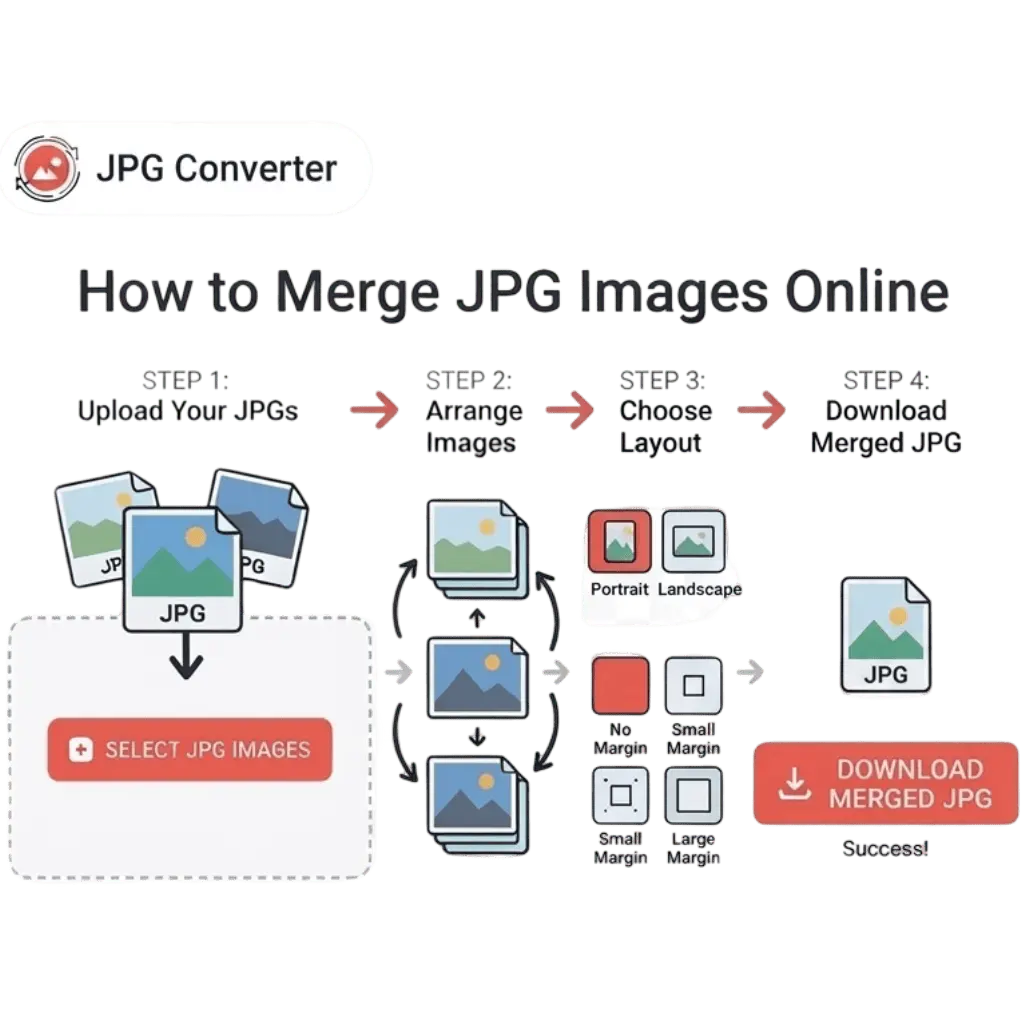
Follow these simple steps to combine your JPG or JPEG files:
STEP 1.
Click on the Browse Files button or drag & drop your multiple JPG files.
STEP 2.
Arrange the images in the desired order by dragging and dropping them.
STEP 3.
Select the styles like Orientation, sizing, margin.
STEP 4.
Download the merged file instantly to your device.
What Is Unique About Our Merge JPG Tool?
Some of the features of this tool that stand out are given below:

Easy Conversions
The simple interface of our online JPG merger allows you to easily merge JPEG images into a single document. Simply upload your JPGs, choose the styling, and download the merged images. There is no need to download any software or technical expertise required to merge jpeg with this tool.

Zero Cost
Our online jpeg merger is free for everyone. So, use this JPG merger tool to combine images as much as you want, without worrying about hidden charges or trial limits.

Batch Processing
This JPG merge online tool has a batch processing feature to combine multiple (50+) images at once. This feature helps individuals, professionals, and teams, to merge JPG files online in a large quantity.

Order Flexibility
This JPG merger online tool helps you to arrange your JPG images in an ordered way. You can easily drag & drop files to rearrange the order in which you want.

Premium-Quality Output
Another great feature of this online JPG merger is that it provides high-quality output files. It is backed by libraries like libvips to programmatically merge images without losing the quality. Therefore, the results provided by the merge jpeg online tool look clear and sharp like the original files.

Multiple Output Formats
This JPG joiner can easily combine multiple JPG files into one image and save it in the format you prefer. You can choose popular formats like PDF, JPG, JPEG, or PNG, making it easy to use your merged file anywhere you need.
Who Can Use Merge JPG Online?
 Photographers
Photographers can use our jpeg merge online tool to combine shots for a portfolio or create a visual story for clients. It’s great for personal projects to combine multiple event photos into a single digital album.
 Students
For students combining scanned notes, diagrams, or pages of a project has never been easier before jpgconverters.com. With our merge jpg tool, you can merge multiple images.
 Designers
Designers can use our merge JPG tool to create portfolios, branding drafts, and concept boards. Also, it helps join JPG images into a single file preserving the quality of visuals to make client projects more professional.
 Professionals
Our JPG merge online tool helps professionals organize and save valuable images in a single file. They can combine different charts, graphs, and visuals to make presentations and reports look more attractive.
Frequently Asked Questions (FAQs)
You can easily merge multiple JPG files into one using our free online JPG merger. Simply upload your images, arrange them in your desired order, and click 'Merge' to combine them into a single file.
Yes, there might be a file size limit depending on the number and size of the JPG images you're uploading. However, our tool is optimized for handling large files efficiently.
No, our JPG merger tool is designed to maintain the original image quality even after combining multiple files.
No, our tool is completely free to use, and no registration is required. Just upload your JPGs and start merging instantly.