JPG to WebP Converter
Convert JPG to WebP online in seconds with our free JPG to WebP converter. Compress image size for faster loading while keeping your photos sharp and clear.
How to Convert JPG to WebP Online?
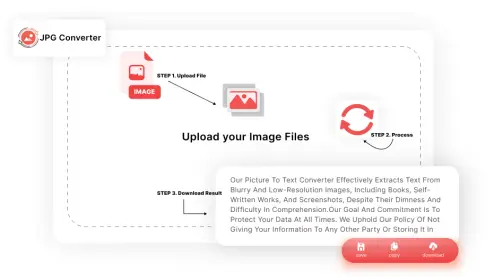
Follow these simple steps to convert your JPG images to WebP:
-
STEP 1.
Click on the Choose Files button or drag & drop your JPG images.
-
STEP 2.
Let our image to WebP converter automatically process and compress your files.
-
STEP 3.
Download your compressed WebP image instantly to your device.
What Is Unique About Our JPG to WebP Tool?
Some of the features of this tool that stand out are given below:

Easy Conversions
The simple interface of our online JPG to WebP converter allows you to convert image format to WebP in just a few clicks. Simply upload your JPG, let the tool convert it, and download the WebP output. There is no need to download any software or technical expertise required to use this converter.

Zero Cost
Our free JPG to WebP converter is free for everyone. Having our tool in hand, there is no need to purchase any paid software. So, use this tool to convert as many JPG images as you want without worrying about hidden charges or trial limits.

Batch Processing
This JPG to WebP converter has a batch processing feature to convert multiple (20+) images at once. This feature helps individuals, professionals, and teams, to convert JPG to WebP online in a large quantity.

Smart Compression
This tool helps you compress image size for faster loading without any manual settings. It automatically balances file size and visual quality, so your images load quickly while still looking sharp.

Premium-Quality Output
Another great feature of this online JPG to WebP converter is that it provides high-quality output files. It is backed by libraries like libvips to programmatically convert images without losing the quality. Therefore, the results provided by our image to the WebP converter look clear and sharp like the original files.

Fast Conversion
One unique feature of our JPG to WebP converter is that it uses robust processing technology to provide fast and smooth results. Unlike other tools, it can quickly convert JPG to WebP online without any delays.
Who Can Use JPG to WebP Converter Online?
Anyone can use this tool, but some of the best use cases are mentioned below:
 Web Developers
Web developers can use our JPG to WebP converter to compress image size for faster loading and improve site performance. WebP's smaller file size helps boost page speed scores and overall user experience.
 Bloggers
For bloggers and content creators, converting image format to WebP has never been easier before jpgconverters.com. With our free JPG to WebP converter, you can shrink image sizes without losing clarity, keeping posts fast and visually appealing.
 Online Store Owners
E-commerce owners can use our tool to convert product photos to WebP, helping store pages load faster. Quicker loading product images can also improve conversions and reduce cart abandonment.
 SEO Professionals
Our JPG to WebP converter online helps SEO professionals optimize websites for Core Web Vitals. They can convert bulk images to WebP to reduce page weight and improve overall site speed.
Frequently Asked Questions (FAQs)
You can easily convert JPG to WebP using our free online JPG to WebP converter. Simply upload your JPG image, let the tool process it, and download the converted WebP file instantly.
Yes, there might be a file size limit depending on the number and size of the JPG images you're uploading. However, our tool is optimized for handling large files efficiently. 98% of the users don't face any files size limit problem.
No, our JPG to WebP converter is designed to maintain the original image quality while reducing the file size for faster loading.
No, our tool is completely free to use, and no registration is required. Just upload your JPG images and start converting instantly.